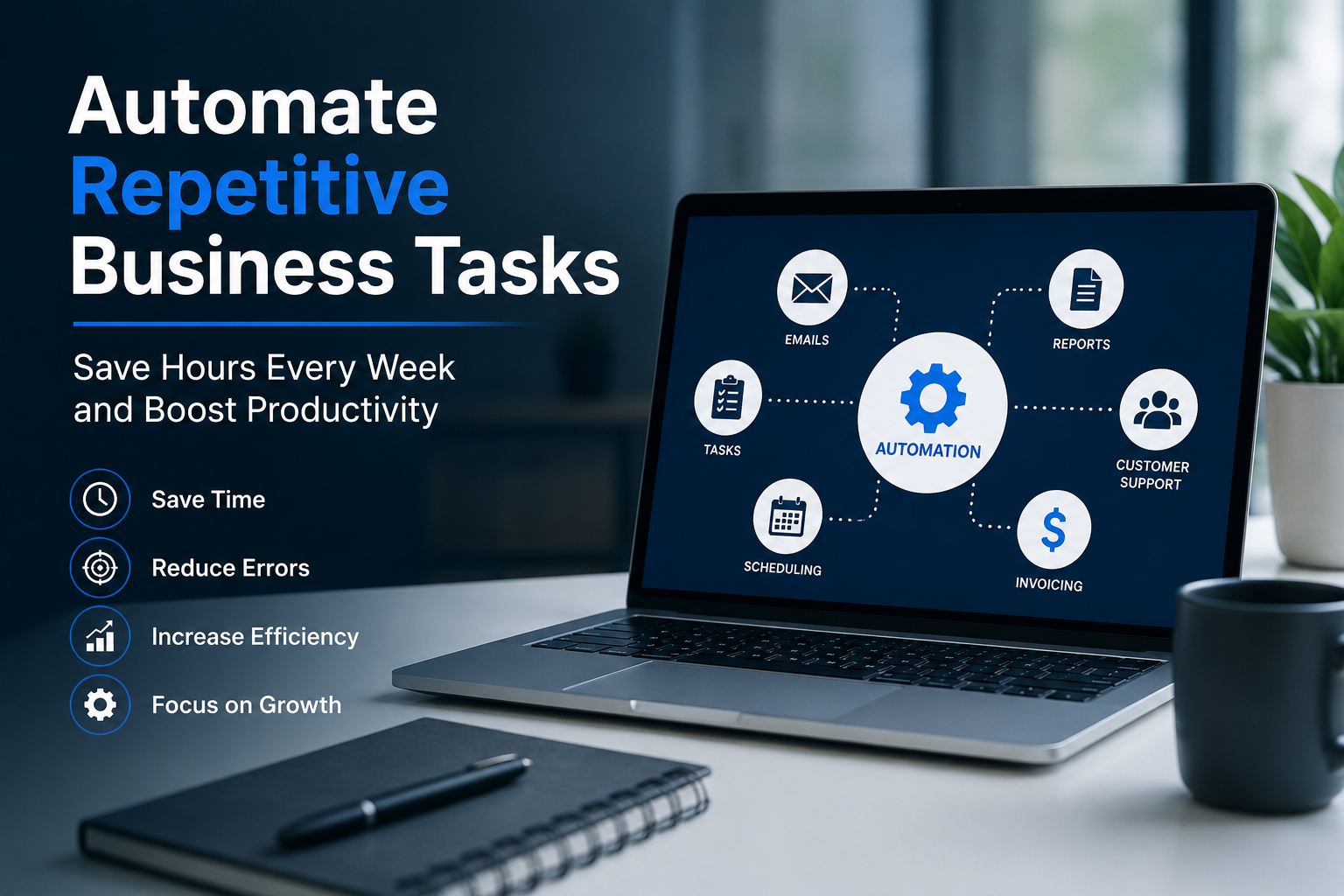
Running a business involves countless repetitive tasks that consume valuable time and energy. From data entry and email follow-ups to invoicing and customer support, these routine activities can prevent teams from focusing on growth and innovation. Fortunately, automation has become more accessible than ever, allowing businesses of all sizes to streamline operations without significant investments. By automating repetitive processes, organizations can reduce errors, improve efficiency, and free up time for strategic work. This guide explores practical ways to automate business tasks, helping you save hours every week while boosting productivity and improving overall performance.
Identify Time-Consuming Tasks
The first step toward automation is identifying repetitive tasks that consume significant amounts of time. These activities often include manual data entry, appointment scheduling, report generation, and responding to common customer inquiries. Understanding where time is spent allows businesses to prioritize automation opportunities effectively and maximize their return on investment.
Conducting a workflow audit can reveal bottlenecks and inefficiencies within daily operations. Team members should document recurring tasks and estimate how much time they spend completing them each week. This process highlights areas where automation can have the greatest impact on productivity and operational efficiency.
Once repetitive tasks are identified, categorize them by frequency, complexity, and business importance. Tasks that occur daily and follow predictable patterns are ideal candidates for automation. Focusing on these processes first helps businesses achieve quick wins and encourages wider adoption of automation across departments.
Automate Email Communication
Email remains one of the most common business communication channels, making it an excellent area for automation. Automated email workflows can handle welcome messages, follow-up sequences, appointment reminders, and customer notifications without requiring manual intervention from employees.
Creating email templates for recurring communication ensures consistency while reducing the time spent composing messages. Businesses can schedule emails based on customer actions, ensuring timely engagement while maintaining a personalized experience that strengthens customer relationships and improves response rates.
Automation tools can also segment audiences and trigger emails based on specific behaviors. This allows businesses to deliver relevant content to the right people at the right time. As a result, teams spend less time managing email campaigns while improving communication effectiveness and customer satisfaction.
Streamline Customer Support
Customer support teams often handle repetitive questions regarding pricing, policies, product features, and account management. Automating responses to common inquiries can significantly reduce workload while ensuring customers receive timely assistance whenever they need help.
Knowledge bases, self-service portals, and chatbots enable customers to find answers independently. These resources provide instant support and allow agents to focus on more complex issues that require human expertise. This improves both customer satisfaction and operational efficiency.
Automation can also route support tickets to the appropriate department based on keywords or customer needs. By eliminating manual ticket assignment, businesses reduce response times and ensure inquiries reach the right team members quickly, creating a smoother and more effective support experience.
Simplify Data Entry Processes
Manual data entry is one of the most repetitive and error-prone tasks in business operations. Employees often spend hours transferring information between systems, spreadsheets, and databases. Automation can eliminate much of this work while improving accuracy and consistency.
Integrating business applications allows information to flow automatically between platforms. Customer details, sales records, and inventory updates can be synchronized in real time, reducing the need for duplicate entries and minimizing the risk of human errors.
Automated data collection tools also help businesses gather information directly from customers through forms and online portals. This ensures records remain accurate and up to date while freeing employees from repetitive administrative work that adds little strategic value.
Automate Invoicing and Payments
Financial administration often requires significant time and attention. Creating invoices, sending payment reminders, and reconciling transactions manually can slow operations and increase the risk of errors. Automation simplifies these processes and improves financial management.
Automated invoicing systems generate and send invoices based on predefined schedules or completed transactions. This ensures customers receive accurate billing information promptly, reducing delays and improving cash flow management across the organization.
Payment reminders can also be automated to encourage timely settlements. Businesses benefit from improved collection rates without spending additional time following up on overdue accounts. These efficiencies contribute to stronger financial performance and better customer experiences.
Improve Project Management
Project management involves coordinating tasks, deadlines, resources, and communication. Automation can simplify these responsibilities by ensuring projects progress smoothly without requiring constant manual oversight from managers and team leaders.
Automated task assignments distribute work based on predefined rules, ensuring responsibilities are allocated efficiently. Team members receive notifications about deadlines and project updates, reducing confusion and keeping everyone aligned with organizational objectives.
Progress tracking and reporting can also be automated. Managers gain real-time visibility into project performance without compiling data manually. This allows them to make informed decisions quickly and focus on solving challenges rather than managing administrative tasks.
Enhance Marketing Efforts
Marketing teams often manage repetitive activities such as campaign scheduling, lead nurturing, social media posting, and performance reporting. Automation helps streamline these processes while maintaining consistent engagement with prospects and customers.
Automated marketing workflows can guide leads through the sales funnel using targeted content and personalized communication. These campaigns operate continuously, ensuring prospects receive relevant information without requiring constant manual management from marketing professionals.
Reporting automation also simplifies performance analysis. Businesses can track campaign results automatically and generate detailed reports with minimal effort. This allows marketers to spend more time optimizing strategies and creating content rather than gathering and organizing data.
Automate Employee Onboarding
Employee onboarding involves numerous administrative tasks, including document collection, account setup, policy distribution, and training coordination. Automating these processes ensures a smoother experience for new hires while reducing the burden on human resources teams.
Automated workflows can send welcome emails, collect required information, and provide access to training materials before an employee's first day. This creates a positive onboarding experience and helps new team members become productive more quickly.
Tracking onboarding progress through automated systems also improves accountability. Managers can monitor completion rates and ensure employees receive all necessary resources. This consistency helps organizations deliver a professional and efficient onboarding process every time.
Optimize Inventory Management
Businesses that manage physical products often struggle with inventory tracking and replenishment. Manual inventory processes can lead to stock shortages, overstocking, and inaccurate records. Automation helps maintain optimal inventory levels while improving operational efficiency.
Inventory management systems automatically update stock levels when products are sold, received, or transferred. This real-time visibility helps businesses make informed purchasing decisions and avoid costly disruptions caused by inventory inaccuracies.
Automated alerts notify teams when stock reaches predefined thresholds. Businesses can reorder products before shortages occur, ensuring customers receive products without delays. These efficiencies improve customer satisfaction and support more effective supply chain management.
Use Automation for Reporting
Reporting is essential for monitoring business performance, but manually compiling data from multiple sources can be time-consuming. Automation simplifies report generation and provides decision-makers with timely insights that support strategic planning and operational improvements.
Automated reporting tools gather information from connected systems and generate reports according to predefined schedules. This eliminates repetitive data collection tasks and ensures stakeholders always have access to accurate and up-to-date information.
Businesses can customize dashboards to track key performance indicators in real time. Rather than waiting for monthly reports, leaders can monitor trends continuously and respond quickly to emerging opportunities or challenges, improving agility and decision-making.
Measure and Refine Automation Efforts
Automation is not a one-time project but an ongoing process of improvement. Businesses should regularly evaluate automated workflows to ensure they continue delivering value and supporting organizational objectives as operations evolve.
Tracking metrics such as time savings, error reduction, customer satisfaction, and productivity improvements helps measure success. These insights enable organizations to identify areas where automation is performing well and where adjustments may be needed.
Continuous refinement ensures automation remains aligned with business goals. As new technologies emerge and processes change, businesses can expand automation efforts and unlock additional efficiencies that contribute to long-term growth and operational excellence.
In Summary
Automating repetitive business tasks is one of the most effective ways to improve efficiency, reduce operational costs, and empower employees to focus on higher-value work. By identifying time-consuming activities and implementing the right automation solutions, businesses can streamline workflows across departments, from customer support and marketing to finance and inventory management. The result is greater productivity, improved accuracy, and more time to focus on growth initiatives. As automation technology continues to evolve, organizations that embrace these tools will be better positioned to compete, adapt, and thrive in an increasingly fast-paced business environment.
FAQs
1. What business tasks should I automate first?
Start with tasks that are repetitive, time-consuming, and follow predictable steps. Common examples include email follow-ups, invoice generation, appointment scheduling, data entry, and customer support responses. Automating these processes usually delivers quick time savings and helps teams focus on more valuable strategic and customer-facing work.
2. How much time can automation realistically save?
The amount varies by business, but many companies recover several hours per employee each week. Tasks that previously required manual copying, emailing, or reporting can often run automatically. Over time, these savings compound into significant productivity gains and reduced administrative workload across multiple departments and teams.
3. Is automation only suitable for large companies?
No. Small businesses and startups often benefit the most because they have limited staff and resources. Modern automation tools are affordable, easy to implement, and designed for organizations of all sizes. Even simple workflows can reduce manual work and improve consistency without requiring a dedicated technical team.
4. Will automation replace employees?
In most cases, automation replaces repetitive tasks rather than people. Employees can spend less time on administrative work and more time on customer relationships, problem-solving, and strategic projects. Businesses typically use automation to increase productivity and improve service quality instead of reducing valuable human expertise and collaboration.
5. What tools are commonly used for business automation?
Popular categories include workflow automation platforms, CRM systems, email marketing tools, help desk software, accounting platforms, and project management applications. The best choice depends on your existing systems, budget, and the specific processes you want to automate across sales, support, finance, and operations.
6. How do I know whether a process is a good candidate for automation?
A process is usually a strong candidate if it is repeated frequently, follows clear rules, requires little judgment, and produces consistent outputs. If employees perform the same steps multiple times each day or week, automation can often handle most of the work efficiently and accurately.
7. How long does it take to implement automation?
Simple automations such as email workflows or invoice reminders can be implemented in a few hours or days. More complex integrations involving multiple systems may take several weeks. Starting with small, high-impact processes allows businesses to see results quickly and expand automation gradually over time.
8. Can automation help reduce business errors?
Yes. Manual processes often introduce mistakes through copying, typing, or missed steps. Automation applies the same rules consistently every time, reducing data entry errors, missed reminders, incorrect invoices, and other common administrative problems. Improved accuracy also leads to better reporting and customer experiences overall.
9. What metrics should I track after automating a process?
Measure time saved, error rates, response times, completion rates, customer satisfaction, and operating costs. Comparing these metrics before and after implementation helps determine whether the automation is delivering meaningful business value and identifies opportunities for further optimization and workflow improvements across the organization.
10. What is the biggest mistake businesses make with automation?
The biggest mistake is automating a broken process without improving it first. Businesses should simplify and standardize workflows before adding automation. Starting with too many complex automations at once can also create confusion. Begin with a few high-impact processes, measure results, and expand gradually from there.