Running a website or online business means you always want your site to be available. Even a few minutes of downtime can lead to lost visitors, lost sales, and a poor user experience. This is where UptimeRobot becomes useful as a monitoring solution.
It checks if your site is online and alerts you when something goes wrong. In this review, we explore what UptimeRobot is, how it works, its features, pricing, and overall value. The aim is to help you decide if it fits your website needs and workflow.
What Is UptimeRobot?
UptimeRobot is an online monitoring tool that checks websites, servers, and online services to see if they are working properly. It runs in the background and regularly tests your site to confirm it is reachable and responding as expected. This helps ensure uptime and reliability for users every time.
It works by sending automated requests to your website at regular intervals. If the system detects downtime, slow response, or errors, it immediately alerts you through email, SMS, or app notifications. This allows you to react quickly, diagnose issues, and restore your site before users are heavily affected overall.
It is commonly used by developers, freelancers, agencies, and business owners who want to keep their websites stable and reliable. Instead of checking all the time manually, they rely on alerts to stay informed. This saves time, reduces downtime risks, and greatly improves overall website performance and user experience greatly improves.
How UptimeRobot Works
The system works in a very simple way. You add your website URL to the dashboard, and UptimeRobot begins monitoring it automatically. It keeps checking your site at regular intervals to see if it is online and responding properly. Everything runs quietly in the background without any manual effort from you.
Usually, the tool checks your website every 30 seconds to 5 minutes depending on the plan you are using. If your site does not respond or shows an error, it is marked as down immediately. This quick detection helps you know the exact moment something goes wrong and gives you time to act fast.
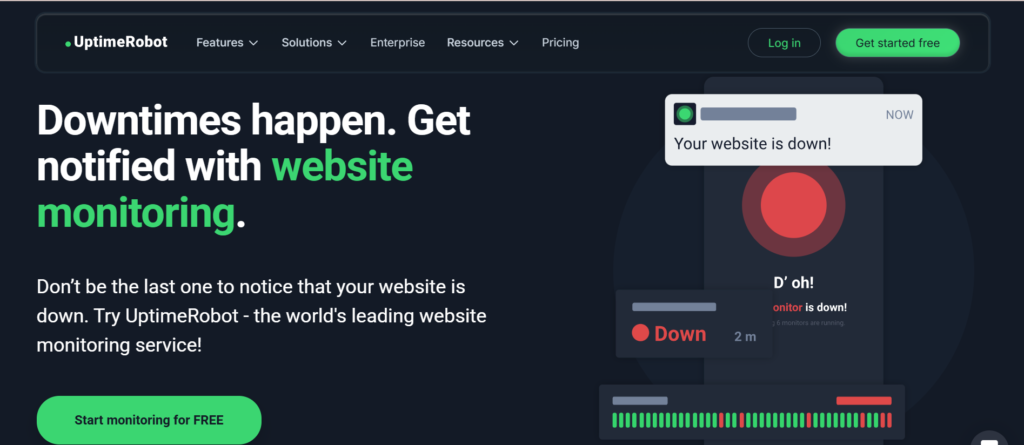
Once a problem is detected, UptimeRobot sends you an alert through email, SMS, or connected apps. When your website is back online, it also notifies you again. So you always stay updated on both downtime and recovery, which makes monitoring simple and stress-free.
Key Features of UptimeRobot
UptimeRobot comes with several useful features that help you monitor your website in different ways. It supports HTTP(s) monitoring, keyword monitoring, ping monitoring, and port monitoring. Each type checks a different part of your system to make sure everything is running smoothly and responding as expected.
It also tracks SSL certificate expiration, which helps you avoid unexpected security warnings or site access issues. Another helpful feature is the status page option, where you can display your website uptime publicly. This is useful for showing visitors that your service is reliable and well-maintained.
You can also connect alerts with tools like Slack, Telegram, and email for quick updates. These integrations make it easy to stay informed wherever you are. Because of these features, UptimeRobot works well for both small personal projects and larger business systems that need constant and reliable monitoring every day without stress.
Ease of Use and Setup
One of the biggest strengths of Uptime Robot is how easy it is to use for anyone. You do not need technical knowledge or coding skills to get started. After creating an account, you simply add your website link and select the type of monitoring you want.
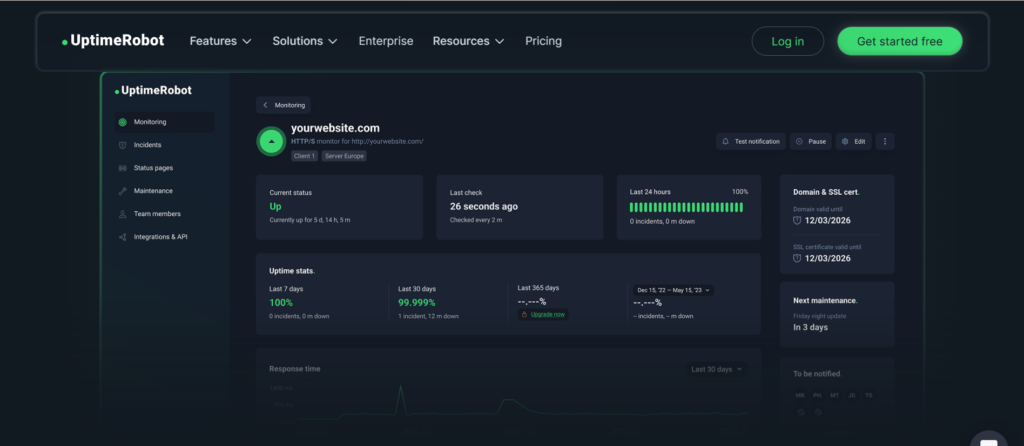
The dashboard is clean, simple, and easy to navigate. It clearly shows your website’s status at a glance, including whether it is up, down, or experiencing issues. Everything is organized in a way that makes tracking multiple sites straightforward and stress-free.
Even beginners can set everything up in just a few minutes without confusion. There are no complicated steps or advanced settings required at the start. This makes UptimeRobot a great choice for people who want a reliable monitoring tool that is quick to learn and easy to manage daily, even with no technical background at all.
Pricing and Free Plan
Uptime Robot is known for its generous free plan that makes it very attractive for beginners and small projects. It allows users to monitor up to 50 websites at no cost, with checks happening every 5 minutes. This is enough for blogs, personal websites, and small online projects.
For users who need more power, there are also paid plans available. These plans offer faster check intervals, more advanced monitoring features, and SMS alerts for quicker notifications. This helps users respond faster when issues happen and keep their services more reliable.
The pricing is affordable compared to many other monitoring tools on the market. This makes Uptime Robot a good choice for both beginners and growing businesses. Whether you are just starting out or scaling up, it offers flexible options that fit different needs without becoming too expensive or complicated to manage over time.
Alerts and Notifications
The alert system is one of the most important parts of Uptime Robot because it keeps you informed when something goes wrong. If your website goes down, you are notified quickly so you can take action before the issue gets worse. This helps you stay in control even when you are not actively checking your site.
You can choose different notification methods based on your preference. These include email, SMS, push notifications, and integrations with tools like Slack and other messaging platforms. This flexibility makes it easy to receive alerts in a way that fits your daily workflow.
Fast notifications are very important because they reduce the time your website stays offline. The quicker you know about an issue, the faster you can fix it. This helps protect your website traffic, user experience, and even your revenue, especially if you rely on your site for business or sales.
Performance Monitoring Accuracy
Uptime Robot is generally accurate in detecting downtime and performance issues. It checks websites from multiple locations to give reliable results. This helps users understand whether a site is truly down or just having temporary issues. The system is widely trusted for its consistent monitoring and simple reporting of uptime status.
While Uptime Robot is reliable, no monitoring tool is perfect. Sometimes it may show false alerts when a server responds slowly. However, these cases are rare and usually resolve quickly. Checking from different locations helps reduce errors and improves accuracy, giving users a clearer view of real performance issues overall.
It still provides a clear picture of website availability and helps track performance trends over time. Users can easily see when downtime happens and how often it occurs. This information is useful for improving reliability, fixing weak points, and ensuring a better user experience across websites and online services in general.
Pros and Cons of UptimeRobot
UptimeRobot has many advantages that make it a popular choice for website monitoring. It is very easy to use, even for beginners, and it comes with a strong free plan. The tool provides reliable monitoring that helps users stay informed about their website’s status at all times.
It also supports multiple alert methods such as email, SMS, push notifications, and integrations with tools like Slack. These options make it flexible and convenient for different users and workflows. Because of this, it works well for individuals, teams, and businesses that need quick updates.
On the downside, the free plan has limited features compared to the paid versions. Some advanced users may also find its monitoring options a bit basic when compared to more complex tools. However, for most users, the benefits are more than enough to meet their needs and keep websites running smoothly and efficiently overall.
Who Should Use UptimeRobot?
Uptime Robot is useful for a wide range of users who want to keep their websites running smoothly. Bloggers can use it to make sure their sites stay online and accessible to readers at all times. This helps them avoid losing traffic or engagement due to unexpected downtime.
Small business owners also benefit because they can track their websites and avoid losing customers during outages. Even short periods of downtime can affect sales, so having quick alerts helps them respond fast and reduce losses. It adds a layer of safety for online operations.
Developers and agencies can monitor multiple projects in one place, which saves time and improves efficiency. Even beginners with no technical background can use it easily without confusion. If you rely on your website for traffic, sales, or branding, this tool becomes very helpful in maintaining stability and building trust with your audience over time.
In Summary
Uptime Robot is a simple but powerful website monitoring tool that helps you stay informed about your site’s performance and uptime. It is easy to set up, affordable, and reliable for most users who want basic but effective monitoring. The dashboard is clear, and alerts keep you updated whenever issues happen.
While it may not include every advanced feature found in premium enterprise tools, it still does an excellent job for everyday monitoring needs. If you want a tool that alerts you when your website goes down and helps you respond quickly, UptimeRobot is worth considering for your workflow.