
I kept seeing people talk about AI tools that can create ads in seconds. At first, I did not take it seriously. Creating ads has always felt like a skill that takes time to learn. You need design skills, copywriting, and testing. So I wondered, can a tool really do all that for you?
That curiosity is what made me try AdCreative.ai.
I did not go in expecting magic. I just wanted to see if it could save time and maybe make my work easier. In this post, I will share exactly what happened when I used it, what I liked, what I did not like, and whether it is actually useful or just another overhyped tool.
Getting Started Was Surprisingly Easy
The first thing I noticed was how simple it was to get started. I did not need any technical skills. After signing up, the platform guided me step by step. It asked for basic things like my brand name, website, and what kind of product I wanted to promote.
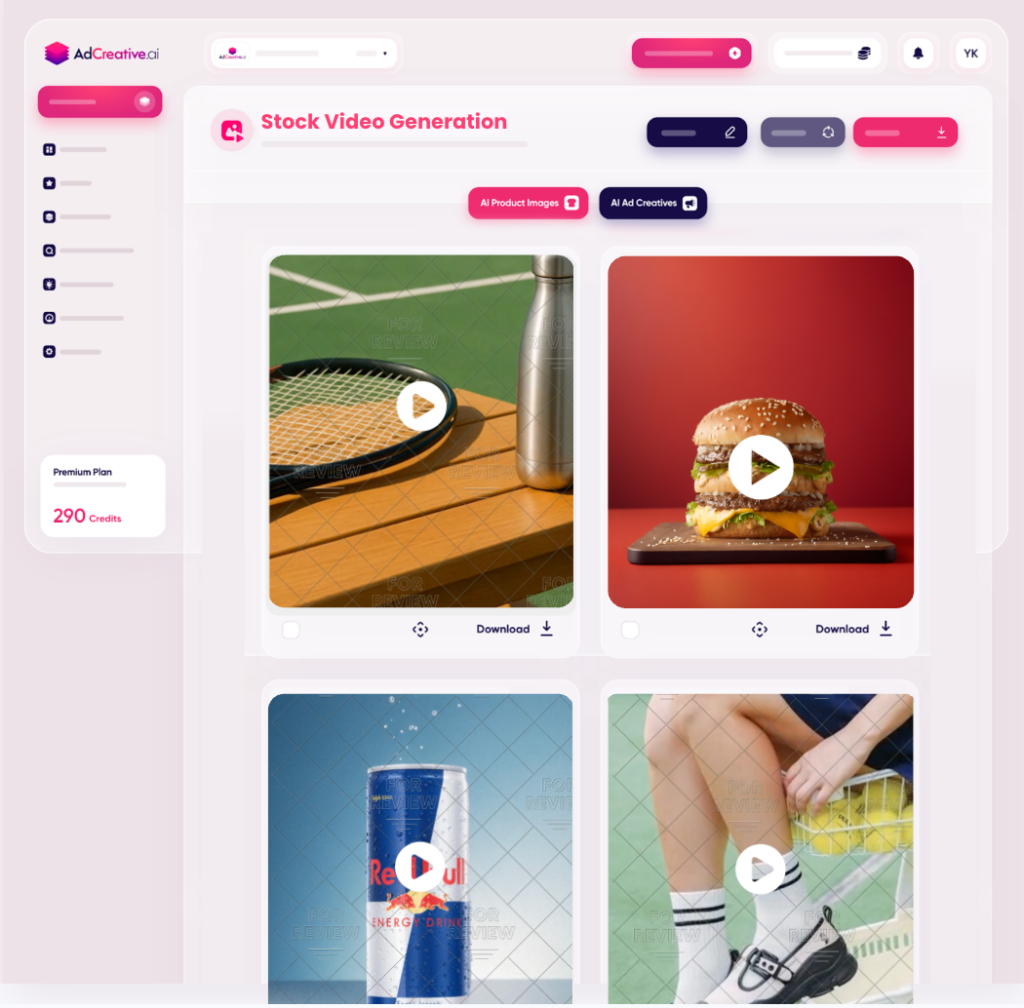
I liked that I did not have to figure things out on my own. Everything felt clear. The dashboard was clean, and I could easily find where to create ads.
Within a few minutes, I was ready to generate my first set of ad creatives. That alone saved me time, because normally I would still be setting things up in design tools. If you’re curious, you can check out AdCreative.ai here.

Creating My First Ads with AI
This is where things got interesting. I entered details about a product I wanted to promote and clicked generate. In a few seconds, the tool created multiple ad designs.
I was honestly surprised. The ads looked clean and professional. They had images, headlines, and call to action buttons already placed.
Were they perfect? Not really. But they were good enough to use as a starting point. Instead of creating ads from scratch, I now had several options ready.
That changed how I worked. Instead of staring at a blank screen, I could just pick a design and improve it. It made the whole process feel less stressful.
The Ad Copy Feature Was Helpful
Another thing I tested was the ad copy generator. Writing ad text can be hard, especially when you are trying to make it short and clear.
I entered a few details about my product, and the tool generated headlines and descriptions. Some of them were basic, but a few stood out.
What I liked most was that it gave me ideas. Even when the copy was not perfect, it helped me think faster. I could edit the text instead of writing everything from zero.
So instead of struggling with what to say, I had a starting point. That alone saved me a lot of mental effort.
It Helped Me Create More Ads Faster
One thing that stood out was speed. Normally, creating one good ad can take a lot of time. But with this tool, I could create many ads in minutes.
This is useful because marketing is all about testing. You need different versions to see what works. With AdCreative.ai, I did not feel limited to just one or two ideas.
I could generate multiple designs, change a few things, and test them. This made it easier to experiment without feeling overwhelmed.
It felt like I had more freedom to try different angles without spending hours on each one.
The Designs Were Good but Not Perfect
I want to be honest here. The designs were good, but they were not always amazing. Some looked very similar, and a few did not match my brand style perfectly.
This means you still need to do some editing. You might change colors, adjust text, or swap images.
But I did not see this as a problem. It is still faster to edit something than to create everything from scratch.
So instead of expecting perfect results, it is better to see the tool as a helper. It gives you a strong starting point, and then you improve from there.
The Performance Score Feature Was Interesting
One feature that caught my attention was the performance score. The tool tries to predict which ads are more likely to perform well.
At first, I was not sure how accurate this would be. But it gave me a rough idea of which creatives looked stronger.
I would not rely on it completely, because real results depend on your audience and platform. But it was still helpful as a guide.
It helped me choose which ads to test first instead of guessing blindly. That made my workflow a bit more structured.
It Works Better If You Already Know Your Audience
One thing I noticed is that the tool works best when you already have some direction. If you know your target audience and what you are selling, the results are better.
If you go in without a clear idea, the ads can feel generic. That is not the tool’s fault. It just means you need to give better input.
So before using it, it helps to know:
- Who you are targeting
- What problem you are solving
- What message you want to send
When I had clarity, the ads felt more relevant and useful.
It Does Not Replace Creativity
At some point, I realized something important. This tool does not replace creativity. It supports it.
You still need to think about your strategy. You still need to understand your audience. And you still need to test what works.
What it does is remove the heavy work. It handles the design structure and basic copy so you can focus on improving ideas.
So instead of replacing human effort, it makes your effort more effective. That is how I started using it.
Who I Think This Tool Is Best For
After using it, I started to see who would benefit the most. If you are a beginner, this tool can help you get started without feeling lost.
If you are an affiliate marketer, it can help you create ads faster and test more ideas. That is a big advantage.
If you run a small business, it can save you money on design and copywriting.
But if you are a professional designer, you might still prefer full control. The tool is more about speed and convenience than perfection.
Would I Keep Using It?
After trying it out, I can say I would keep using it, but in a specific way. I would not depend on it for everything.
I would use it to:
- Generate ideas
- Create quick ad variations
- Speed up my workflow
Then I would edit and improve the best ones.
That balance works well. It saves time without lowering quality too much. And it makes the whole process feel easier.
Verdict
Trying AdCreative.ai changed how I look at creating ads. It did not magically solve everything, but it made the process faster and less stressful.
The biggest benefit for me was speed. I could go from idea to actual ads in minutes. That made it easier to test and improve my marketing.
At the same time, it is not a tool you can blindly trust. You still need to think, adjust, and understand your audience.
So if you are expecting perfection, you might be disappointed. But if you want a tool that helps you move faster and gives you a solid starting point, then it is worth trying.
In the end, it is just a tool. How you use it is what really matters.
This is a nice review. I’ll definitely check out the tool. Thanks so much!